Give the view a story.
A long aerial recording is not the same as a finished video. Find the useful stretch, remove setup movements, and choose what belongs in the final sequence.
Explore drone editingDrone, phone & travel videos
Less time staring at a folder of clips. More time making something you actually want to share.
Stitch brings your footage into an editing workflow built around a first draft, a clear point of view, and changes you control.
The web app is available to open. Android is a development build, not a Play Store release. The current app may still show the name Drone Video Editor.
Choose footage → review a draft → make it yours.
Start with what you filmed
A long aerial recording is not the same as a finished video. Find the useful stretch, remove setup movements, and choose what belongs in the final sequence.
Explore drone editingWork with your own phone clips. Decide what the viewer should notice before adding titles, transitions or another layer of effects.
Explore phone editingCombine places, people and details into a sequence with a beginning and an ending. Keep the moment that matters to you, not only the prettiest view.
Explore travel editingAutomatic does not mean out of your hands
A useful edit should leave room for your choices. Review the shots, refine their timing, and frame the subject for the way you want to share.
Stitch's current planner uses editing rules and measurements of footage. It does not generate new scenes. We do not describe this release as an AI video generator.
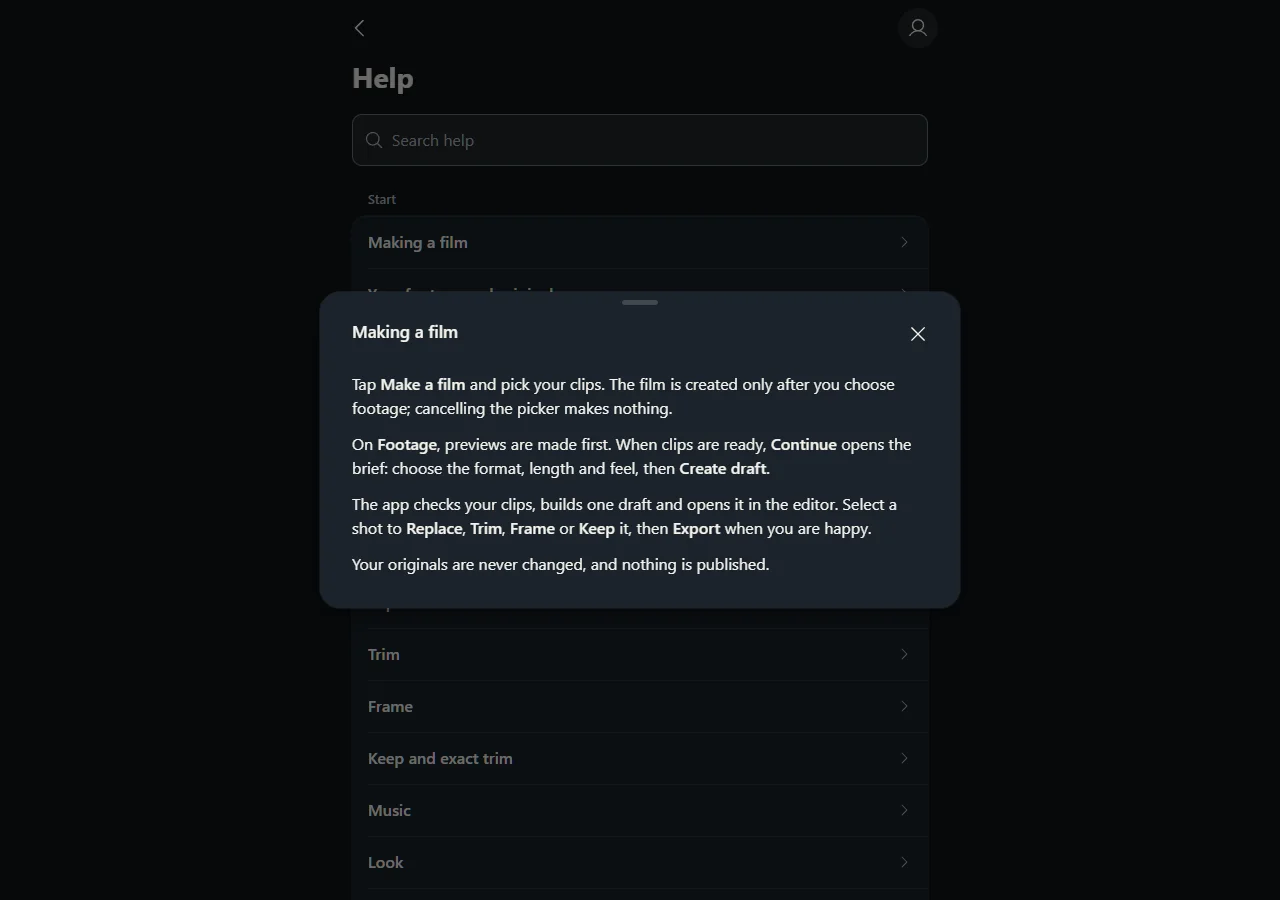
See the editing features and current limitationsChoose footage, set a direction and review the draft. The app's built-in help explains what each step does and how to keep control of your shots.
Estimate video size from duration, video bitrate and audio bitrate. See decimal GB and binary GiB separately.
Video file-size calculatorCompare source and output aspect ratios before cutting a landscape shot into a vertical frame.
Aspect-ratio & crop calculatorThese calculators work in your browser. They do not upload footage and do not require an account.
A practical sequence for reducing setup shots, repetition and awkward endings.
Build a more useful first cutChoose one idea for the edit before trying to include the entire trip.
Find the story in your clipsCheck the crop before an important subject disappears out of the shot.
Plan a vertical version